Xiaomi Redmi Note 3 and Xiaomi Redmi Note 3 Pro is a great phone, when we could install all the apps we wanted and getting rid of the one we do not use.
IMPORTANT: Before even going any further, please make sure you enable your settings for installing a 3rd party APK files.
Features:
Updated V2 of the popular Google Installer by Eric Xiang.
Supports Kitkat, Lollipop & Marshmallow
Easy installation.
Google Play Services.
Google Play Store.
Google Services Framework.
Google Calendar Sync.
Google Contacts Sync.
FROM YOUR DEVICE:
Just SCAN using your QR scanner.

FROM YOUR PC/COMPUTER:
1. Click the flashing Google Installer Icon to download the “Google Installer_2.0”.

2. Unzipped and transfer the Google Installer, latest Google Play Store and Google Play Services to the internal memory of your Redmi Note 3 via USB connection.
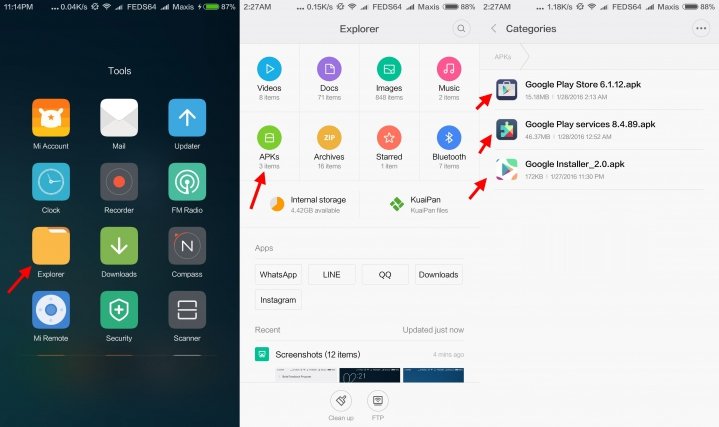
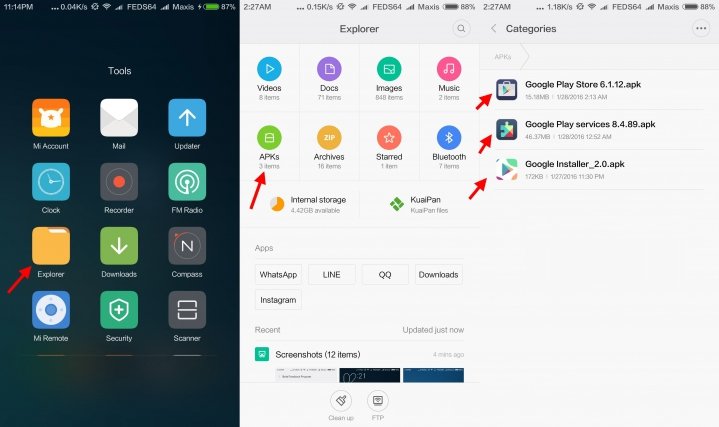
3. Just follow thru’ the sequence like the illustrations below. Goto File Explorer > APKs > "Google Installer_2.0.apk”
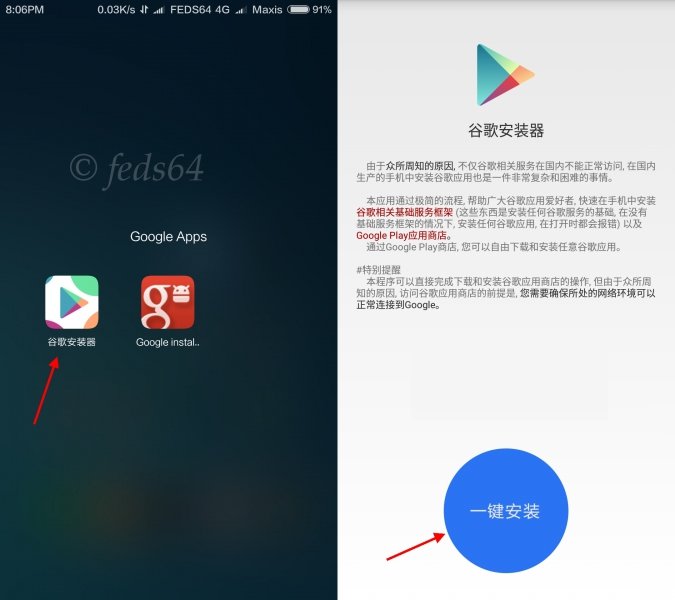
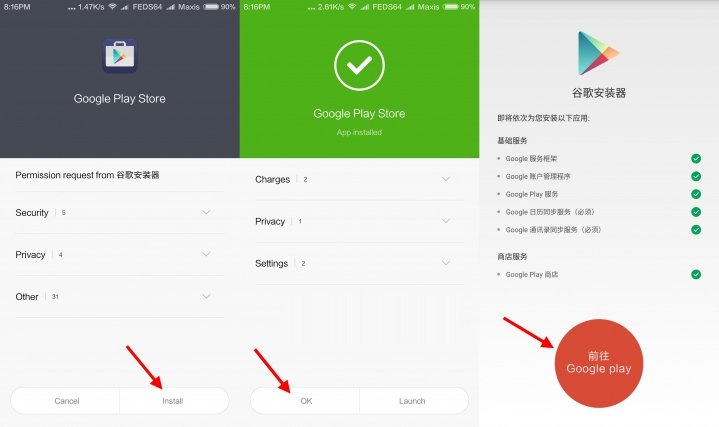
4. Launch the Google Installer icon. Once it open you will see the blue circle and click Blue Circle to start the installation and follow the sequence as shown below:-
Note: Just click OK and Install, do not click launch at anytime during the installation of the apps.
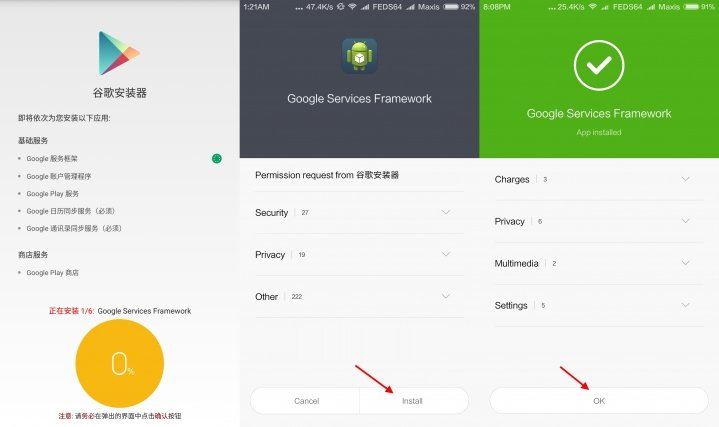
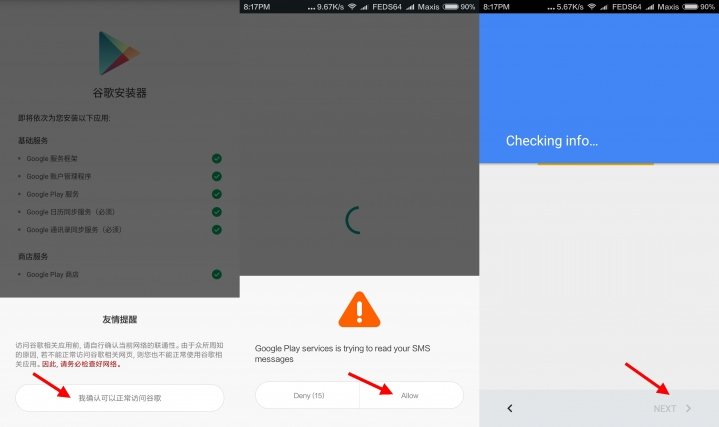
5. Towards the end of the installation, just follow the illustration to click the RED CIRCLE. and accept the terms, click Allow Google to read SMS, finally go thru the setup of Google sign-in, as follows:
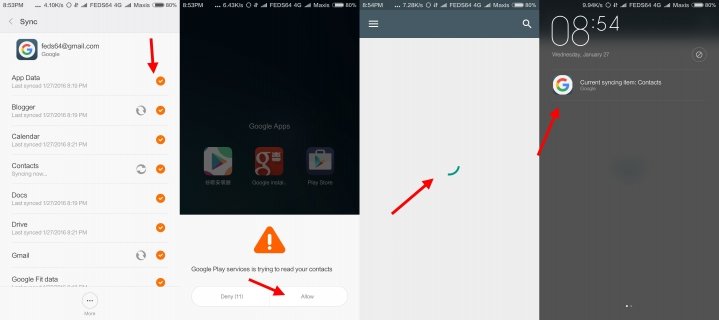
6. As you can see your phone is busy syncing the contact and other Google Apps, as shown below:
7. Next we are going to install the latest apk for Google Play Store and Google Play Services, to avoid any compatibility error and sluggishness. To install just go to your Explorer > APKs and install both of the APKs, as shown below:
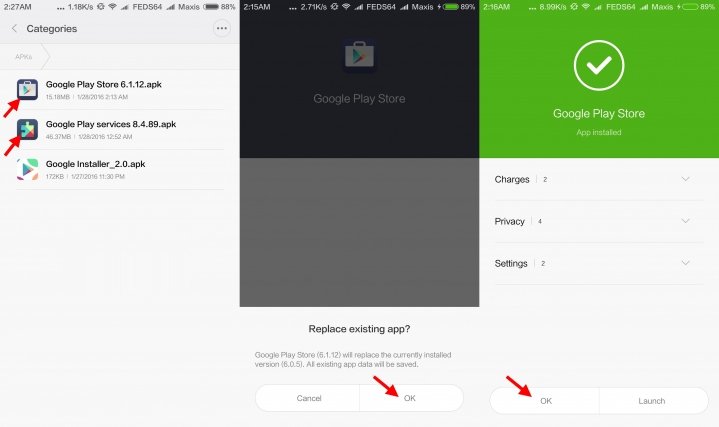
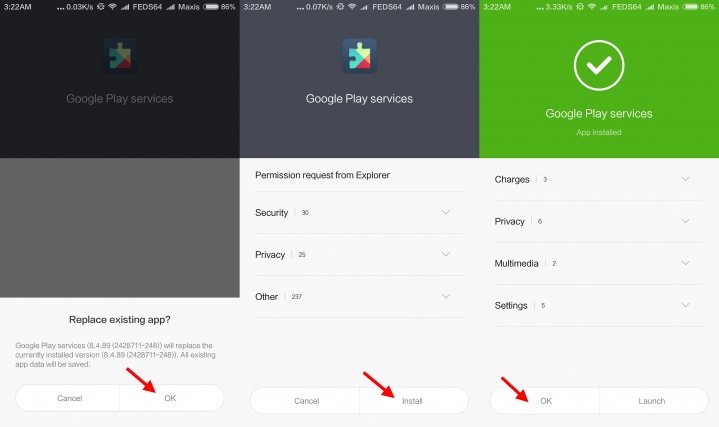
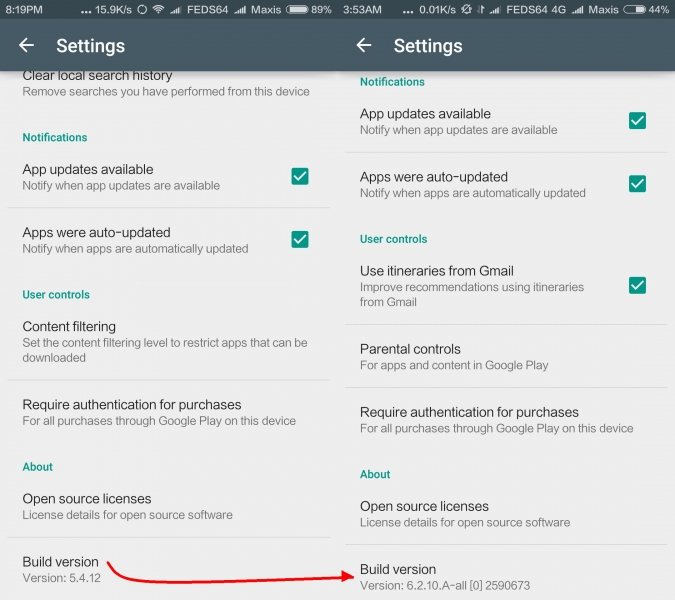
8. After you are all done with the installation, reboot your device. After it is back on, you could now check Google > Settings > scroll up, that it is installed with a Build version 6.2.10.A-all [0] 2590673, as shown below: