
Hi, it's time to flash the new recovery for xiaomi redmi note 3.
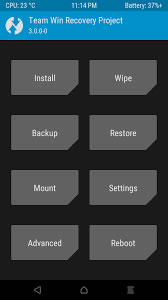
Twrp 3.0.0 Features:
1, Completely new theme - Much more modern and much nicer looking
2, True Terminal Emulator - Includes arrow keys, tab and tab completion, etc.
3, Language translation - It won’t be perfect and especially some languages that require large font files like Chinese & Japanese won’t be availble on most devices. Also some languages may only be partially translated at this time. Feel free to submit more translations to OmniROM’s Gerrit.
4, Flashing of sparse images - On select devices you will be able to flash some parts of factory images via the TWRP GUI
5, Adopted storage support for select devices - TWRP can now decrypt adopted storage partitions from Marshmallow
6, Reworked graphics to bring us more up to date with AOSP - includes support for adf and drm graphics
7, SuperSU prompt will no longer display if a Marshmallow ROM is installed
8, Update exfat, exfat fuse, dosfstools
9, Update AOSP base to 6.0
10, A huge laundry list of other minor fixes and tweaks
How to install:
NEED BOOTLOADER UNLOCK
- Flash via flashify
- Flash via old twrp: flash img and select recovery
- Flash via adb: On your device, go into Settings -> About and find the Build Number and tap on it 7 times to enable developer settings. Press back and go into Developer Options and enable USB debugging. From your computer, open a command prompt and type:
adb reboot bootloader
You should now be in fastboot mode. Download the correct image file and copy the file into the same folder as your adb and fastboot binaries. Rename the image to twrp.img and type:
fastboot flash recovery twrp.img
Download
